
Have you ever stared at your Citizen Perpetual Calendar watch and felt unsure how to set it correctly? You’re not alone. Many people find the multiple functions of this innovative timepiece overwhelming.
In this guide, we’ll walk you through step-by-step instructions to set your watch properly, avoid common mistakes, and make the most of its advanced features. By the end, you’ll feel confident using your Citizen watch to its full potential.
What Is a Citizen Perpetual Calendar and How It Works
A Citizen Perpetual Calendar watch is a watch that automatically adjusts the date, including leap years, without needing manual changes. Models like the Citizen Eco-Drive Perpetual Calendar Chronograph can accurately track dates up to the year 2100, making them very convenient for daily use.
These watches use Eco-Drive solar technology, meaning light charges the battery, so it rarely needs replacement. They also rely on a quartz movement and a microchip calendar system to calculate months and years correctly. Some advanced models feature atomic timekeeping, syncing with radio signals to maintain precise time anywhere in the world.
How the Crown, Buttons, and Mode Selector Work
Your watch’s crown and buttons control its functions. The mode selector lets you switch between timekeeping, calendar, and other features.
- Crown positions: Pulling the crown to different positions allows you to set time or calendar functions.
- Buttons: Adjust options within a selected mode.
- Mode selector: Switches between calendar, timekeeping, and other features.
Rules to Follow Before Setting Your Citizen Perpetual Calendar
Before you dive into setting your Citizen Perpetual Calendar, it’s important to follow a few important rules. Here’s what you need to keep in mind before making any adjustments:
- Avoid changing the date between 9 PM and 3 AM
- tart in Calendar Mode (CAL) by pulling the crown to the second click
- Ensure the power reserve is at least 50%
- Know the difference between Citizen calibers E820, H820/H800, E870, and E760
- Avoid extreme temperatures and keep your watch between 5°C and 40°C (41°F–104°F)
How to Set a Citizen Perpetual Calendar: Step-by-Step
Setting a Citizen Perpetual Calendar watch is simple when you follow each step carefully. This watch automatically adjusts for months, leap years, and time zones, so precise setup ensures accurate timekeeping and calendar functions. Here are the steps to follow:
Step 1: Move to Calendar Mode (CAL)
Pull the crown out to the second position, then rotate it until the pointer or display shows CAL mode. This mode allows you to change the date- and year-related settings safely. Make sure the watch is not between 9 PM and 3 AM, because the calendar gears may already be moving and adjusting the date automatically during this period.
Step 2: Set the Year and Leap-Year Position
Rotate the crown slowly until you reach the correct year. You’ll also see the leap-year cycle, usually shown as “LY,” “1,” “2,” or “3.” This is important because the watch uses this to adjust February correctly. Setting the wrong leap-year position can cause long-term date errors, so double-check your year before moving on.
Step 3: Set the Month
Turn the crown to select the current month. Each month has a unique code or position depending on your Citizen model. The perpetual calendar uses the month and year together to calculate the number of days automatically. If you travel often, setting the month correctly helps avoid sudden date jumps when changing modes or time zones.
Step 4: Set the Date
Use the crown to adjust the date number. The watch will handle months with 30, 31, or 28/29 days automatically once the year and month are set correctly. If the date does not change smoothly, gently rotate back and forward to help realign the mechanism. Do not force the crown if it feels stuck—this protects the calendar gears.
Step 5: Set the Time (Hours, Minutes, Seconds)
Pull the crown to the final position (usually the third click). Rotate it to set the correct hour and minute. Pay attention to AM and PM; look for the 12 o’clock position—if the date changes, you are in PM mode. Setting the seconds hand exactly at the start of a minute can help you keep more accurate time, especially if you sync with your phone.
Step 6: Set the Time Zone / Home City
Turn the crown or use the buttons (depending on the model) to choose your home city code, such as NYC, LON, TYO, or HKG. This tells the watch what time zone to follow. If your model has radio-controlled or atomic time syncing, the home city setting is necessary for automatic time corrections during updates.
Step 7: Finalize and Return to Normal Mode
Press the crown all the way back in to confirm all settings. Wait a moment to ensure the hands move into the correct positions—this is normal for perpetual calendar watches. Once everything settles, the watch is ready for everyday use and will automatically adjust the date and leap years without needing manual resets.
Special Instructions for Different Citizen Calibers
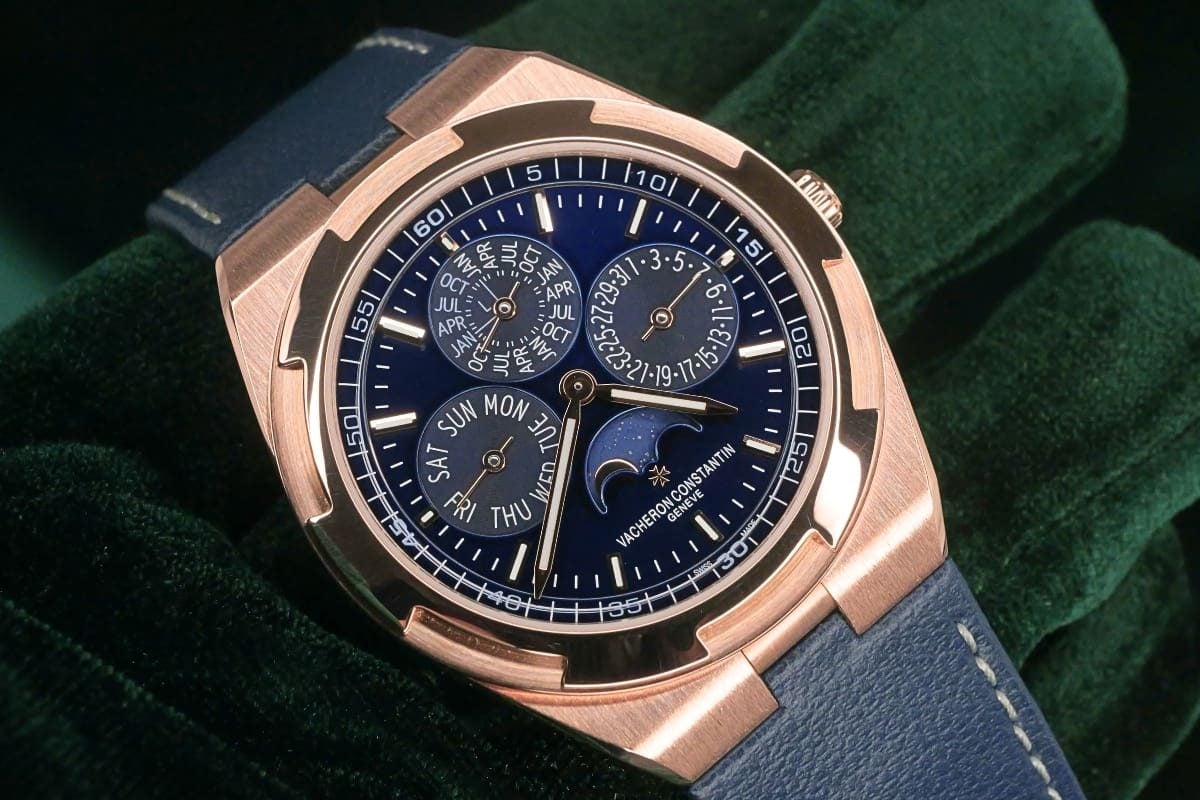
Citizen watches come with different calibers, and each one has unique ways to set the time, date, and calendar functions. Following the specific instructions for your watch ensures accurate adjustments, avoids mistakes, and prevents damage to the mechanism.
Citizen Caliber E820
Press the side buttons to access calendar settings directly from the main display. Rotate the crown slowly to select the correct year, month, date, and leap-year position. Double-check each adjustment before moving to the next, as incorrect sequences can disrupt the watch’s timekeeping. Consult the manual if any button functions seem different, ensuring safe and precise adjustments.
Citizen Caliber H820 / H800
These calibers let you change the date without affecting the main time. Carefully rotate the crown to set the correct date, and confirm each setting before proceeding to the next. Avoid rushing, because skipping steps or pressing the wrong buttons can misalign the calendar or cause errors in timekeeping. Always follow the model-specific instructions to maintain accuracy.
Citizen Caliber E870
Enter the calendar mode and use the side buttons to navigate the settings. This caliber works similarly to the E820, but the button functions may vary, so always check your manual first. Adjust the year, month, date, and leap-year positions one step at a time, verifying each change to ensure your watch maintains precise time and correct calendar display.
Citizen Caliber E760
The E760 offers additional customization features, allowing precise adjustments for time, date, and leap-year positions. Follow the manual step by step, paying attention to the correct order of adjustments. Take your time with each setting to avoid errors. Correctly setting your watch ensures long-term accuracy, smooth operation, and avoids unnecessary strain on the movement.
How to Reset or Recalibrate a Citizen Perpetual Calendar
Resetting or recalibrating your Citizen Perpetual Calendar ensures accurate timekeeping and proper calendar functions. Following the correct steps prevents errors and maintains the precision your watch is known for.
- Pull the crown to the second position to access the calendar settings.
- Rotate the crown to reset the year and set the leap-year position.
- Confirm that the month and date are correct.
- Adjust the time by rotating the crown to set the hour, minute, and second accurately.
- Push the crown back to its normal position to complete the process.
If the date keeps jumping incorrectly, check whether your mode hand (if your model has one) is pointing to the right function before adjusting.
Also, always recalibrate when the watch is not between 9 PM and 1 AM—this prevents damage to the date-change gears. If your watch has a reference plate on the caseback, use that model number to look up the exact calibration chart for perfect accuracy.
Common Mistakes When Setting a Citizen Perpetual Calendar

Even experienced users can make mistakes when setting a Citizen Perpetual Calendar watch. Avoid these errors to keep your watch accurate and protect its mechanism.
1. Setting the Date During the Change Window
Never adjust the date between 9 PM and 3 AM because the watch’s internal gears engage in automatic date change. Moving the date during this time can damage the mechanism. Always set the date outside this window to keep your watch accurate and avoid costly repairs.
2. Low Battery
A low or dead battery can make your watch display the wrong time or prevent settings from saving. Always charge or replace the battery before adjusting the date, time, or calendar. Doing this ensures your watch functions correctly and saves you repeated corrections.
3. Forgetting Leap-Year Position
The leap-year setting controls February’s date. If you set it incorrectly, the watch may skip or misalign dates every four years. Always confirm the leap-year position during calendar adjustments to maintain accurate date tracking.
4. Selecting the Wrong Time Zone
Choosing the wrong city code changes your watch’s time display. Always double-check the time zone before finalizing settings, especially after travel or daylight saving adjustments. Using the correct code keeps your watch on exact local time.
5. Misreading the 24-Hour Indicator
The 24-hour indicator shows AM and PM. If you confuse the two, your watch may show the wrong time and date changes. Always check the 24-hour subdial when setting the hour to ensure your watch tracks the correct time of day.
6. Incorrect Zero Position Reset
You must reset the zero position carefully on chronograph or multifunction watches. Incorrect resetting can misalign hands or cause functions to fail. Follow instructions and confirm each hand returns to its original zero point to maintain accurate operation.
7. Skipping Calibration After Full Power Loss
A fully depleted battery can make your watch lose calibration. Always perform a full calibration after replacing or recharging the battery. Doing so restores all hands, subdials, and the perpetual calendar to accurate operation.
Final Thoughts on How to Set Citizen Perpetual Calendar
Once you understand your Citizen Perpetual Calendar’s functions and follow the step-by-step instructions, setting your watch is easy. Double-check the year, month, and leap-year settings for precise timekeeping.
Handle the crown gently to prevent damage. With proper care, your Citizen watch will consistently display accurate time and date, allowing you to enjoy its advanced features for years.
FAQ About Setting a Citizen Perpetual Calendar
How Do I Know Which Citizen Caliber I Have?
Look at the back of your watch case to find the model or caliber number. You can also check your user manual or visit Citizen’s official website. Identifying the exact caliber ensures you follow the correct setting instructions and avoid mistakes that could affect your watch’s accuracy and function.
Why Won’t My Date or Time Adjust?
Make sure your watch is in the correct calendar mode and fully charged. Low battery or selecting the wrong mode often prevents time and date adjustments. If problems continue, consult your model’s manual for specific troubleshooting instructions to safely adjust your watch without causing damage.
How Do I Fully Charge My Eco-Drive Before Setting?
Expose your Eco-Drive watch to natural sunlight or bright indoor light. A full charge usually takes 12–24 hours. Once fully charged, the watch functions properly, allowing you to set the time, date, and other features accurately, while maintaining its long-term reliability and preventing sudden power issues.
Do I Need to Set a Radio-Controlled Citizen Manually?
Most radio-controlled Citizen watches automatically sync with time signals. However, if the watch cannot receive a signal due to location or interference, you can manually set the time and date. Follow the manual instructions, which are similar to standard setting steps, to ensure your watch stays accurate and reliable.
What Happens If My Watch Loses All Power?
When your watch loses power completely, recharge it under natural or bright artificial light. Once it has enough power, recalibrate the time and date according to your model. Regularly checking and recalibrating your watch prevents errors, keeps it accurate, and ensures all functions continue working correctly.
Why Is My Mode Hand Not Moving
A stuck mode hand may indicate low power or mechanical issues. Fully charge your watch first, then try resetting according to your manual. If the hand still does not move, contact Citizen support for professional guidance to prevent further damage and restore proper function.